
Vibebun Cache
Milliseconds, not seconds.
Vibebun Cache speeds up WordPress by serving pages from a static disk cache and trimming what the browser has to download. Cached pages are served by an advanced-cache.php drop-in before WordPress fully loads, so repeat visits are answered in milliseconds.
Three ways it gets faster
Every optimization is optional and can be excluded per URL or per handle.
Page caching
A disk-based full-page cache served through a version-stamped advanced-cache.php drop-in, with separate variants for desktop and mobile.
Asset optimization
Defer, delay, minify, and combine CSS and JavaScript, strip unused CSS, and self-host Google Fonts — each with per-handle exclusions.
Site health & delivery
Database cleanup, browser-cache rules, an optional object cache, a preload crawler, and Cloudflare or CDN rewriting.
Features
Everything you need to hit green Core Web Vitals — nothing you have to fight.
Disk page cache
Cached pages are served by a version-stamped advanced-cache.php drop-in before WordPress fully loads, so repeat visits are answered in milliseconds.
Desktop & mobile variants
Separate cache variants for desktop and mobile, so mobile-specific templates never get served to desktop visitors or the other way round.
Tracking params ignored
Marketing and analytics parameters like utm_*, gclid, fbclid, and mc_cid are ignored when building the cache key, so campaign links reuse the same cached page instead of forcing a fresh render.
Lifetime & exclusions
Configurable cache lifetime plus URL and cookie exclusion lists — decide exactly how long a saved page stays fresh and what never gets cached.
Logged-in bypass
Logged-in frontend requests bypass the cache by default, so administrators and editors always see the live site. Changeable in the settings.
?vbcache debug bypass
Append ?vbcache to any URL to bypass the cache and inspect response headers. Cached responses send X-Vibebun-Cache: HIT, bypassed ones send BYPASS.
Minify & combine
Defer, delay, minify, and combine CSS and JavaScript with per-handle exclusions. Handles with inline code, localized data, translations, or a loading strategy are never merged.
Remove Unused CSS
RUCSS generation works out which rules a page actually needs and adds the used CSS inline, so visitors stop downloading stylesheet bytes nothing renders.
Self-host Google Fonts
Your server downloads the requested fonts once and serves them locally afterwards, with optimized font loading — no per-visitor request to Google.
Media helpers
Lazy-load images, frames, and background images, preload the LCP image so the first screen stays fast, and optionally drop the WordPress emoji script.
Preload cache
A crawler walks your sitemap or homepage links to warm the cache in the background, with configurable batch size, delay, and page ceiling.
Browser cache rules
Cache-Control and Expires rules written to .htaccess tell browsers to keep static CSS, JavaScript, images, and fonts for longer.
Object cache drop-in
An optional persistent object cache drop-in keeps expensive WordPress queries out of the database on every request.
Database cleanup
One-click cleanup of the cruft WordPress accumulates, with a schedulable maintenance task so it keeps itself tidy.
Cloudflare & CDN
Optional Cloudflare integration for purging and zone listing, plus CDN URL rewriting. Contacted only when you enter credentials and enable it.
See it in action
A plain-English admin — every setting says what it does.
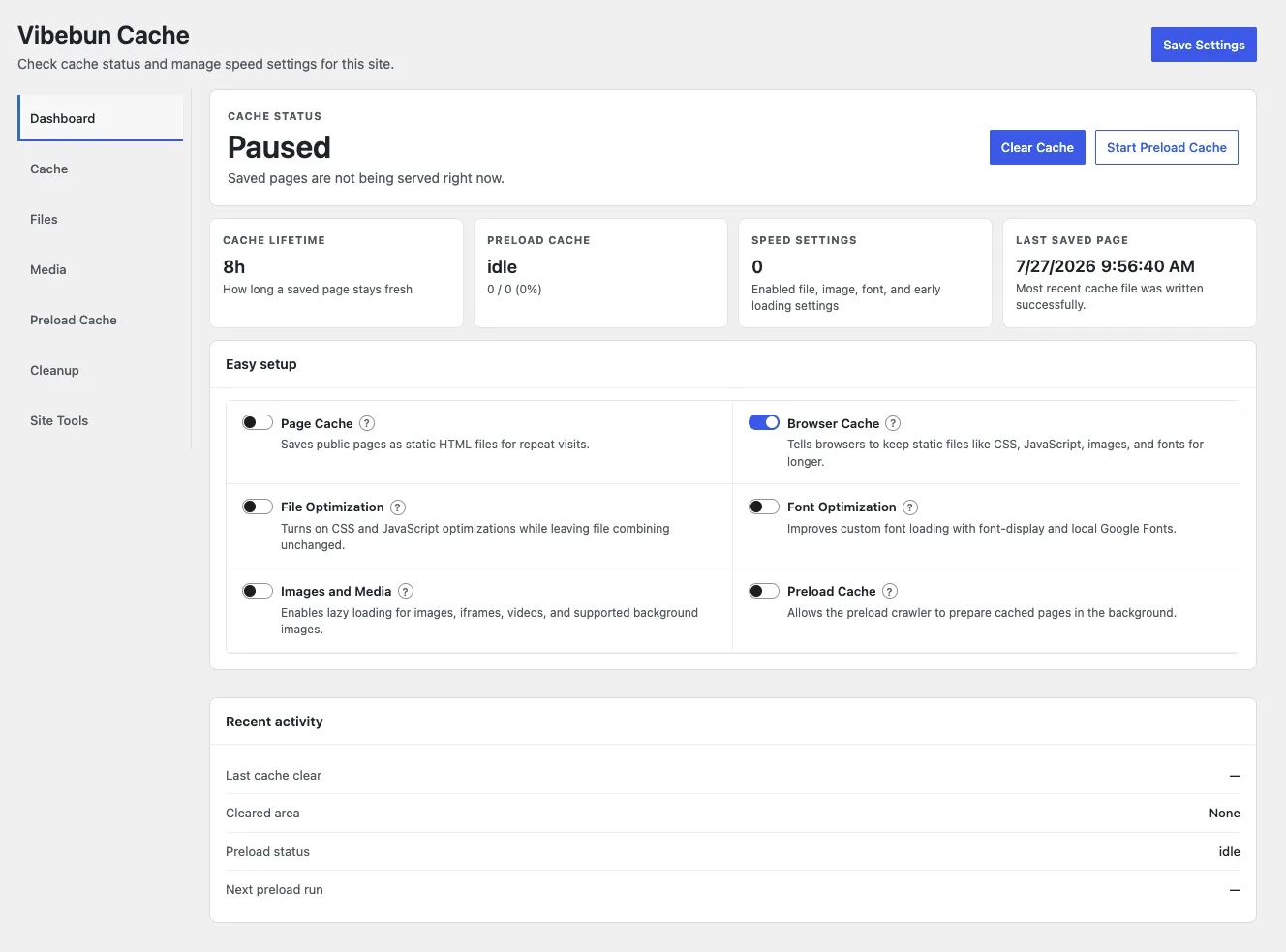
Dashboard
Cache status, lifetime, preload progress, and the last saved page at a glance. Easy setup toggles switch on Page Cache, Browser Cache, File Optimization, Font Optimization, Images and Media, and Preload Cache from a single panel.
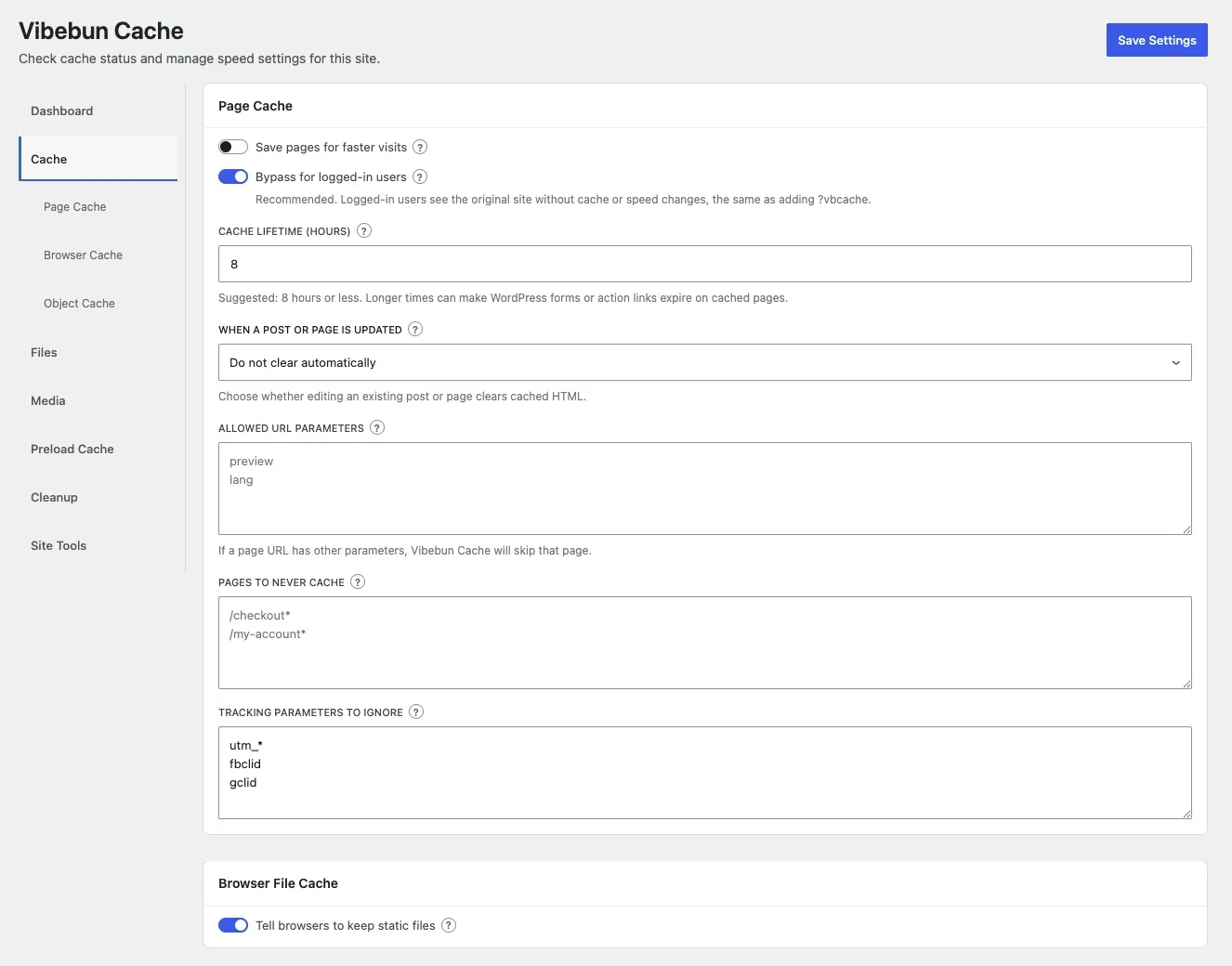
Cache settings
Set the cache lifetime, choose what happens when a post is updated, allow specific URL parameters, and list pages that should never be cached — /checkout* and /my-account* are excluded out of the box.
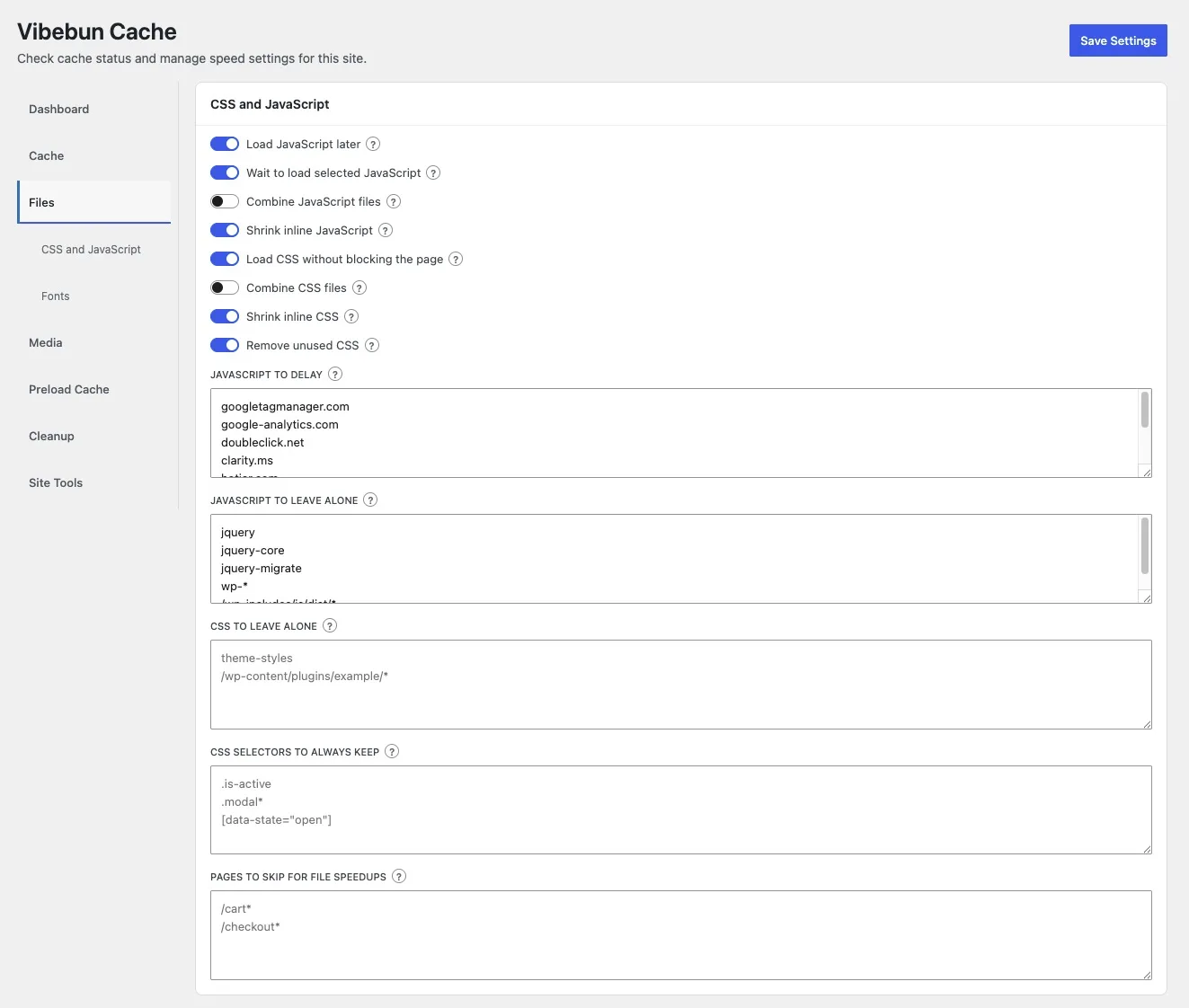
CSS & JavaScript
Toggle each file optimization independently: load JavaScript later, combine files, shrink inline code, remove unused CSS. Every option has its own exclusion list for handles, selectors, and pages to leave alone.
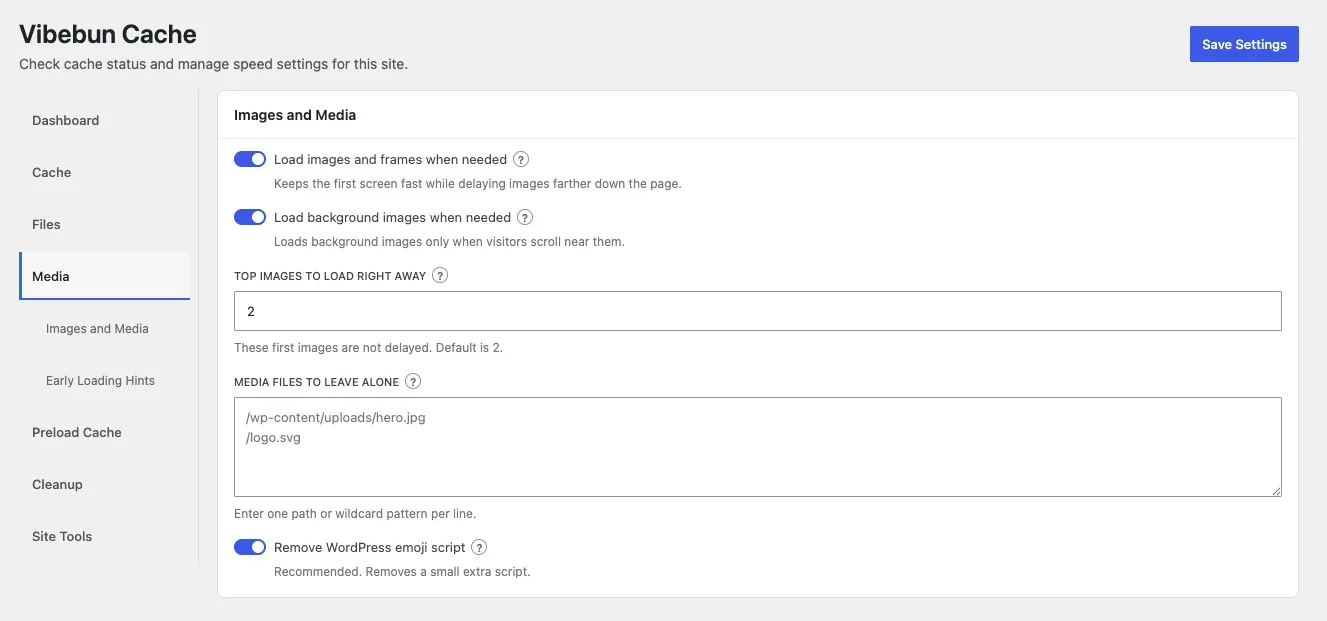
Images and media
Load images, frames, and background images only when visitors scroll near them, while keeping the top images loading right away so your LCP stays fast.
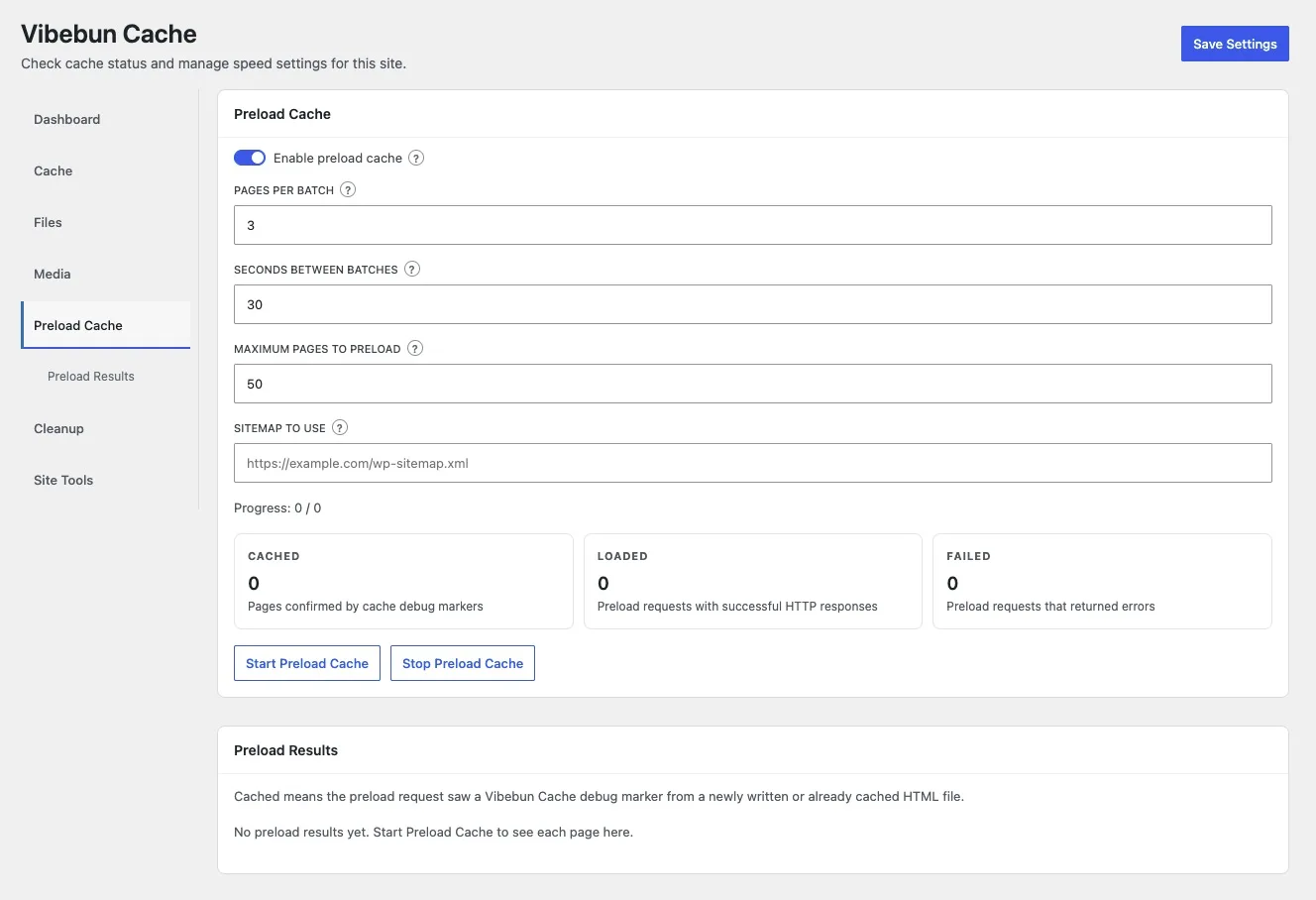
Preload cache
Point the crawler at your sitemap, set pages per batch and the delay between them, then watch the cached, loaded, and failed counts as the cache warms itself.
How it works
Four steps from install to a cached site.
- 1
Install the plugin
Search for Vibebun Cache in Plugins → Add New, or upload the ZIP from WordPress.org.
- 2
Activate
Activate it through the Plugins screen in WordPress. No configuration is required to start.
- 3
Enable WP_CACHE
If WP_CACHE is not already enabled, follow the admin notice to switch on page caching.
- 4
Turn on what you need
Open the Vibebun Cache settings and enable the optimizations you want. Start with Page Cache and Browser Cache, then test your site.
FAQs
Does it cache pages for logged-in users?
No. Logged-in frontend requests bypass the cache by default so administrators and editors always see the live site. This can be changed in the settings.
A page is not being cached. Why?
Add ?vbcache to the URL to bypass and inspect the response headers. Cached responses send X-Vibebun-Cache: HIT; bypassed responses send X-Vibebun-Cache: BYPASS. Reserved paths (admin, REST, feeds, sitemaps, login) and URLs matching your exclusion list are never cached.
Will it break my checkout or cart?
Cart, checkout, account, and similar dynamic pages are excluded automatically, and requests carrying commerce/session cookies bypass the cache.
Does the plugin send my data anywhere?
Not on its own. It only contacts external services for optional features you enable or configure — the Cloudflare API if you add credentials, and Google Fonts if you turn on self-hosted fonts (your server downloads them once, not your visitors). Everything else, including the preload crawler and unused-CSS generation, is a loopback request to your own site.
Vibebun Cache is free on WordPress.org.
No license key, no tiers, no upsell. Install it, switch on Page Cache and Browser Cache, and test your site.