
Vibebun Image Optimizer
Smaller images. Faster store.
Compress product and media-library images in place on your Shopify store — boost page speed, improve SEO rankings, and preserve visual quality. Roll back to originals anytime.
Built for
Shopify merchants who care about performance and conversions.
Shopify merchants
Speed up your store and improve Core Web Vitals scores with smaller, optimized images across your entire catalog.
Store managers
Manage thousands of product and media images from a single dashboard. Track optimization progress and savings at a glance.
Marketing teams
Generate AI alt text in bulk to improve image SEO and accessibility across your product catalog.
Agencies & developers
Configure compression quality, target size, and processing limits per shop. Deploy with local disk or S3 storage.
Features
Everything you need to optimize images at scale.
Smart compression
Iterative compression powered by sharp reduces file size up to 80% while preserving visual quality. Set your target file size and let the app do the rest.
In-place optimization
Replaces images directly on Shopify’s CDN. Your existing URLs, themes, and product references stay intact — zero broken links.
One-click rollback
Every original is preserved. Roll back any optimization with one click. Configure expiry (7 days default) or keep originals forever.
AI alt text
Generate descriptive alt text with Claude, GPT-4o, or Gemini. Boost accessibility and image SEO in seconds — one image or in bulk.
Bulk optimization
Select multiple images or optimize an entire page at once. Concurrent processing pools (up to 10 simultaneous) handle large catalogs fast.
Product & media images
Manage both product images and file-manager media from separate, organized tabs. Filter by size, optimization status, or rollback state.
HEIC to JPG conversion
Automatically converts HEIC/HEIF images to JPG before optimization — no manual conversion step needed.
Configurable settings
Fine-tune target file size, quality, max iterations, max dimensions, AI language, and alt-text length per shop.
Dashboard overview
See total images, oversized files, optimization stats, and total savings at a glance. One-click sync from Shopify keeps everything current.
Monthly quota system
Fair usage limits that reset on your billing cycle. Rollbacks and alt-text edits never count against your quota.
Dual storage
Store originals on local disk or S3-compatible storage — AWS S3, DigitalOcean Spaces, Cloudflare R2, or MinIO.
Safe & secure
Images are optimized in place, preserving your CDN URLs. Uninstalling the app automatically cleans up all stored data.
See it in action
A clean, embedded Shopify admin experience.
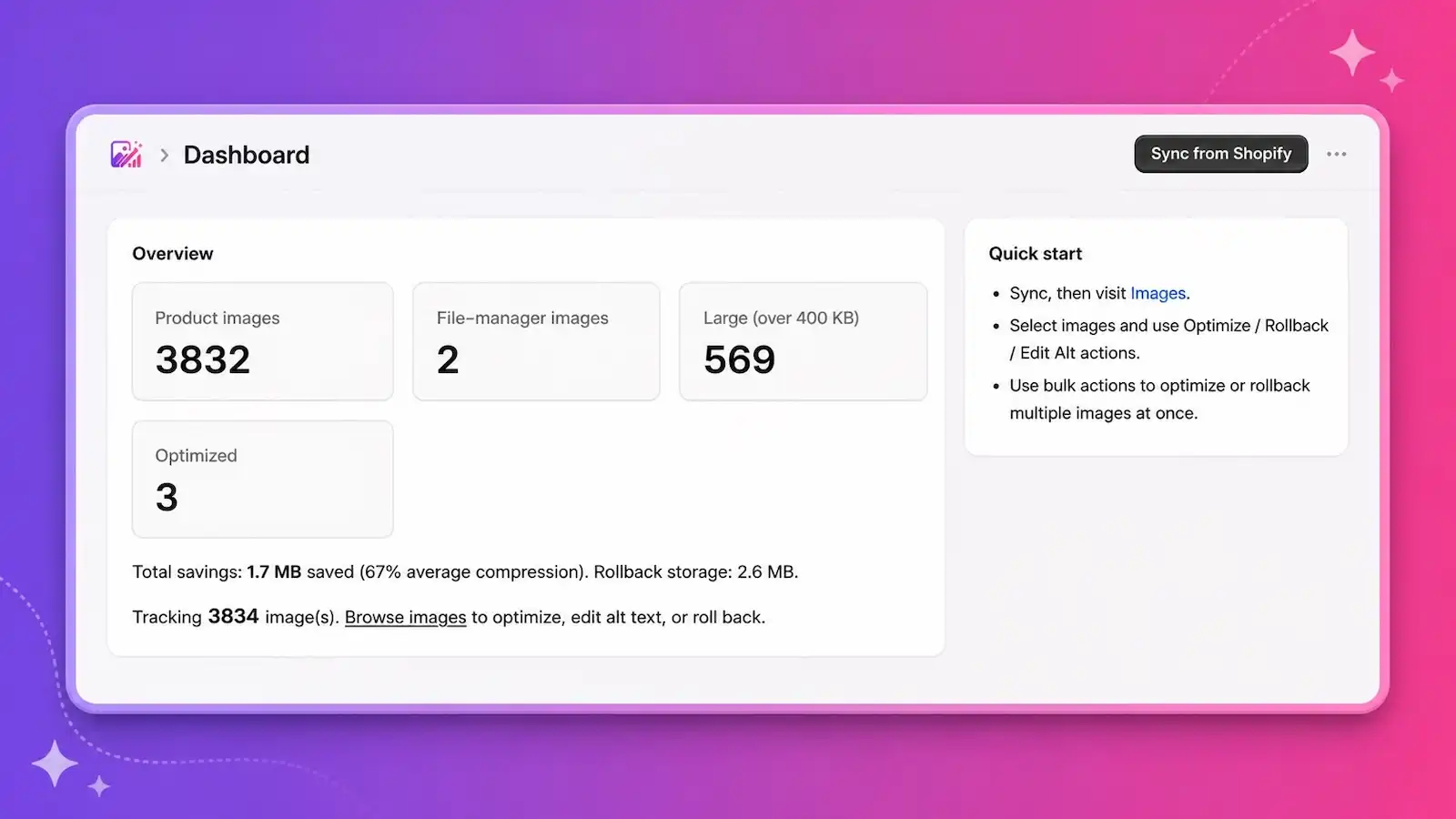
Dashboard
Track total images, oversized files, and optimization savings. Sync from Shopify with one click and see your progress in real time.
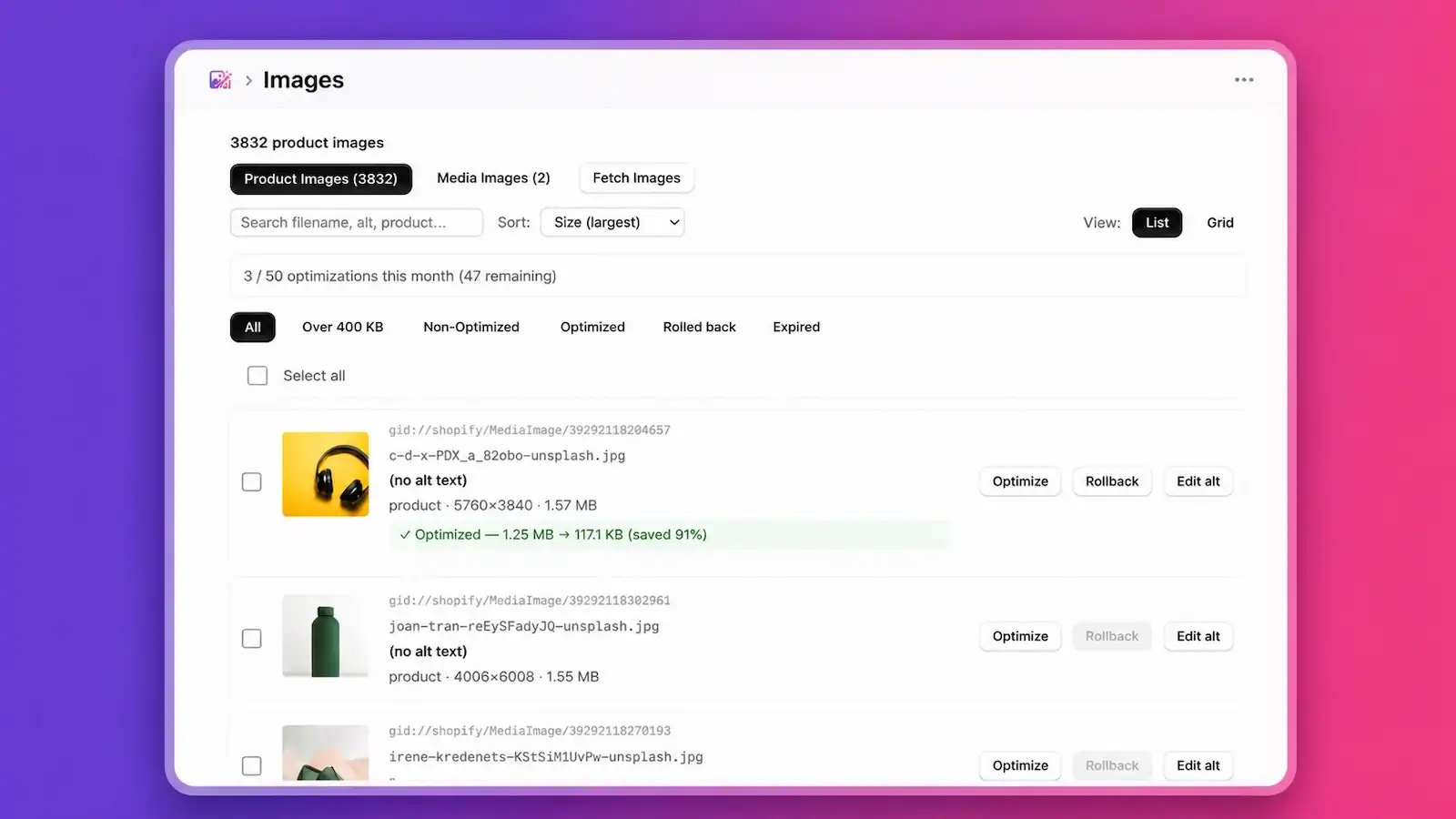
Image browser
Browse product and media images in list or grid view. Filter by size, status, or rollback state. See inline compression results.
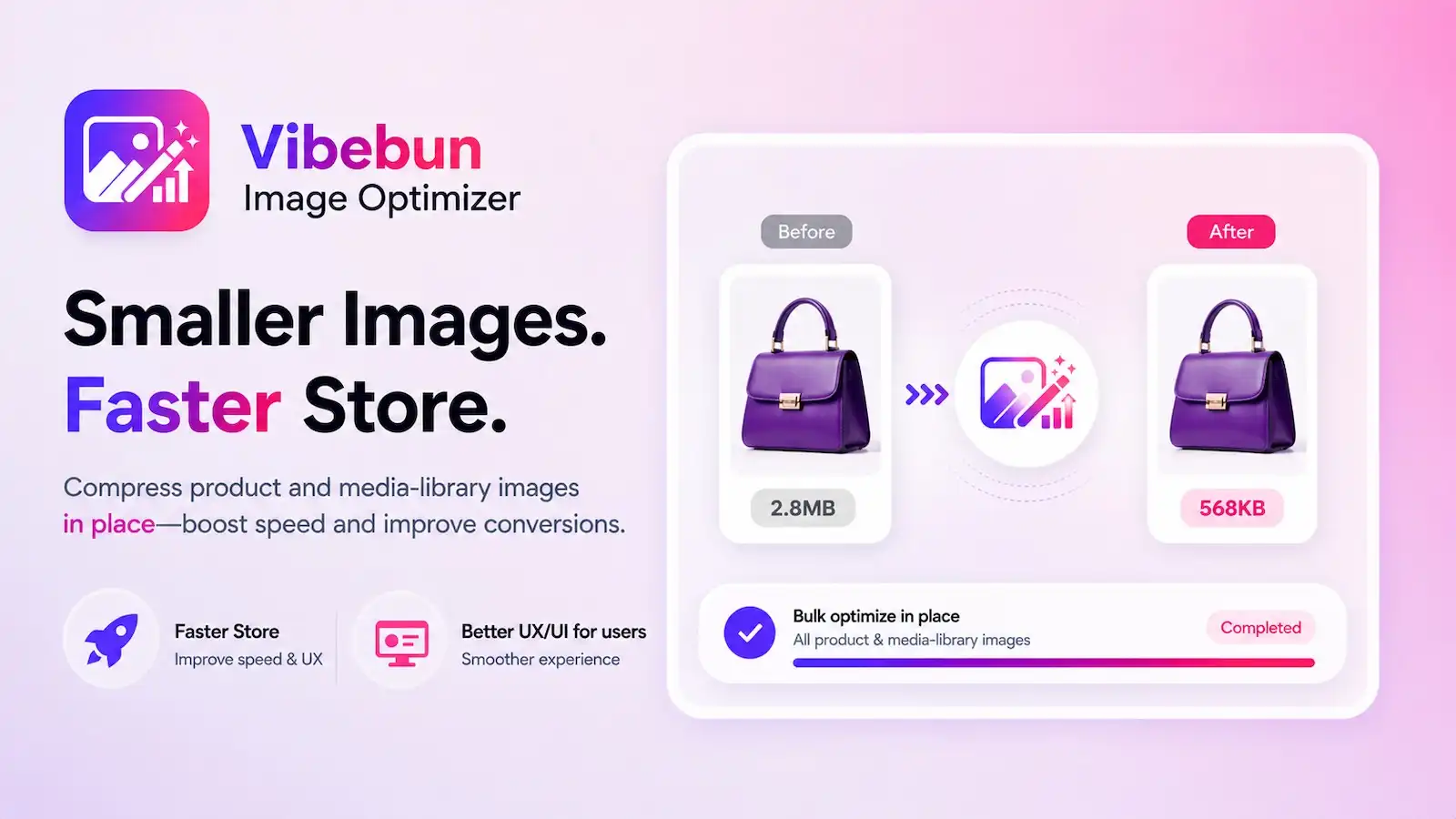
Before & after
See the impact instantly. A 2.8 MB product image compressed to 568 KB — up to 80% smaller with no visible quality loss.
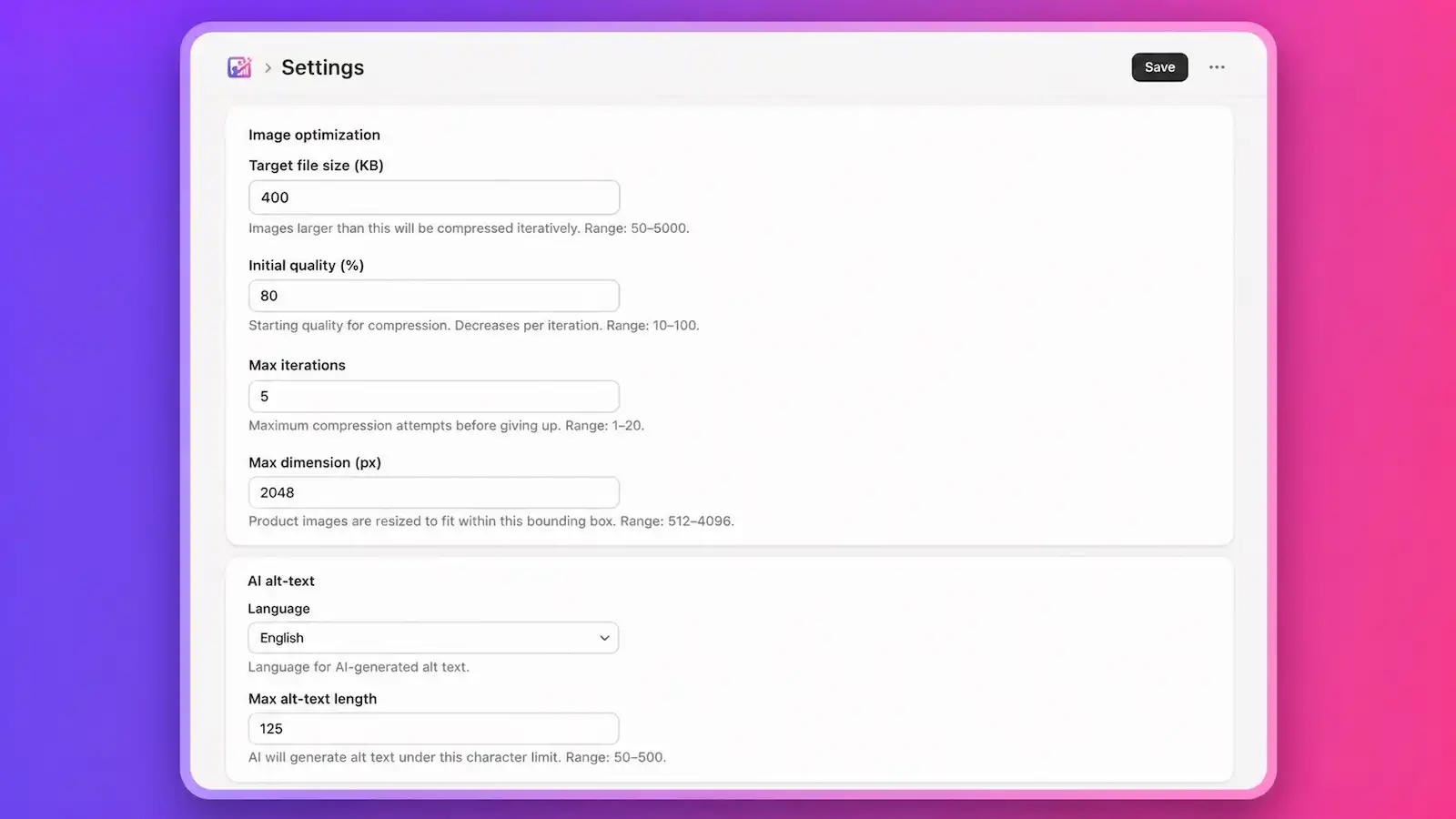
Settings
Configure target file size, compression quality, max iterations, max dimensions, AI alt-text language, and rollback expiry.
How it works
Five steps to a faster Shopify store.
- 1
Install the app
Add Vibebun Image Optimizer to your Shopify store. No theme changes or code edits required.
- 2
Sync your images
Click "Sync from Shopify" on the dashboard. The app imports all product and media images automatically.
- 3
Optimize
Select images individually, in bulk, or optimize an entire page at once. The app compresses them in place on Shopify’s CDN.
- 4
Review savings
See exactly how much space you saved per image and across your store.
- 5
Roll back anytime
Changed your mind? Restore any original with one click. Originals are preserved with configurable expiry or forever.
Simple pricing
Start free. Upgrade when you need more.
Free
Get started with image optimization at no cost.
- 50 optimizations / month
- 3 concurrent optimizations
- Product & media images
- In-place compression
- One-click rollback
- Dashboard & stats
Basic
For growing stores with larger catalogs.
- 1,000 optimizations / month
- 5 concurrent optimizations
- Everything in Free, plus:
- 200 AI alt-text suggestions / month
- Bulk AI alt text
- Claude, GPT-4o, or Gemini
Advanced
Maximum throughput for high-volume stores.
- 3,000 optimizations / month
- 10 concurrent optimizations
- Everything in Basic, plus:
- 500 AI alt-text suggestions / month
- Bulk optimize all on page
- Bulk rollback all on page
FAQs
How does Vibebun Image Optimizer compress images?
The app downloads your image from Shopify’s CDN, then uses sharp (a high-performance Node.js image library) to iteratively compress it until it reaches your target file size or exhausts the iteration budget. Product images are also resized to a configurable max dimension (default 2048 px). The optimized image is uploaded back to Shopify via a staged upload and replaced in place using Shopify’s fileUpdate API — so your existing CDN URL and all product references stay the same.
Will optimization change my image URLs or break my theme?
No. The app uses Shopify’s fileUpdate mutation, which replaces the image binary while preserving the existing CDN URL slug and media ID. Your theme templates, product references, and any external links to those images continue to work with zero changes.
Can I undo an optimization?
Yes. Every original image is preserved before optimization. Click "Rollback" next to any optimized image to restore the original instantly. By default, originals are kept for 7 days, but you can change the rollback expiry in Settings — including setting it to 0 to keep originals forever. Rollbacks never count against your monthly quota.
How does AI alt text work?
On the Basic and Advanced plans, you can click "Edit alt" next to any image and then use the AI suggest button. The app sends your image to one of three AI vision models — Claude Haiku, GPT-4o mini, or Google Gemini Flash (configurable by your store admin) — and receives a descriptive alt-text suggestion. You review and edit it before saving. AI alt text is also available in bulk on paid plans.
What counts toward my monthly optimization quota?
Each image that is successfully compressed and replaced on your store counts as one optimization. Rollbacks, alt-text edits, and failed optimizations do not count. Your quota resets on your billing-cycle anniversary — not the first of each month.
Can I cancel anytime?
Yes. Billing is handled entirely through Shopify’s managed pricing. You can downgrade to Free or cancel your subscription at any time from your Shopify admin — no lock-in, no hidden fees. Your optimized images remain on your store; only the ability to optimize new images reverts to the Free-tier limit.
Documentation
Step-by-step guides, feature walkthroughs, and best practices to get the most out of Vibebun Image Optimizer.
Read the docs →Ready to speed up your Shopify store?
Start compressing images today — free, no credit card required.
Install on Shopify